product · guides
How dipd alerts work: seats, schedules, and thresholds
dipd team4 min read
Adding a product to dipd takes ten seconds. What you get out of it depends on four controls that are easy to miss: how many seats your plan gives you, the schedule each product is checked on, the threshold a price move has to clear before we bother you, and where the alert actually lands. Here's how each one works, and how to set them so dipd stays useful instead of noisy.
Seats: how many products you can track
Your plan gives you a number of tracking seats per check schedule. Every actively tracked product occupies one seat at its cadence; pausing a product frees its seat for something else.
On the Free plan you get 5 daily-check seats and 5 weekly-check seats: ten products watched at once, with room for up to 25 products in your account overall. Premium raises that to hundreds and adds hourly seats on top.
You can see your seats and how many are in use at a glance in Settings:

Schedules: how often we check
Each product is checked on its own cadence, and you can change it any time from the pill in the product page's top bar:
- Weekly is for slow movers: furniture, appliances, things you'd buy whenever the price is right.
- Daily is the default, and the sweet spot for most products. One check a day catches the vast majority of real price changes.
- Hourly (Premium) is for the moments that are actually a race: a launch, a stock-limited sale, a price war you want to win.
There's no wrong answer here. A seat is a seat, so match the cadence to how fast the product's market moves, not to how excited you are about it.
Thresholds: how big a move has to be
Not every price change deserves an email. A $2,000 laptop dropping by $3 is technically a dip; it just isn't news. Thresholds fix that.
You set an account-wide default in Settings (anything from any change to at least 20%) and can override it per product, because a 5% move on rent- sized purchases matters while a 5% move on socks doesn't:
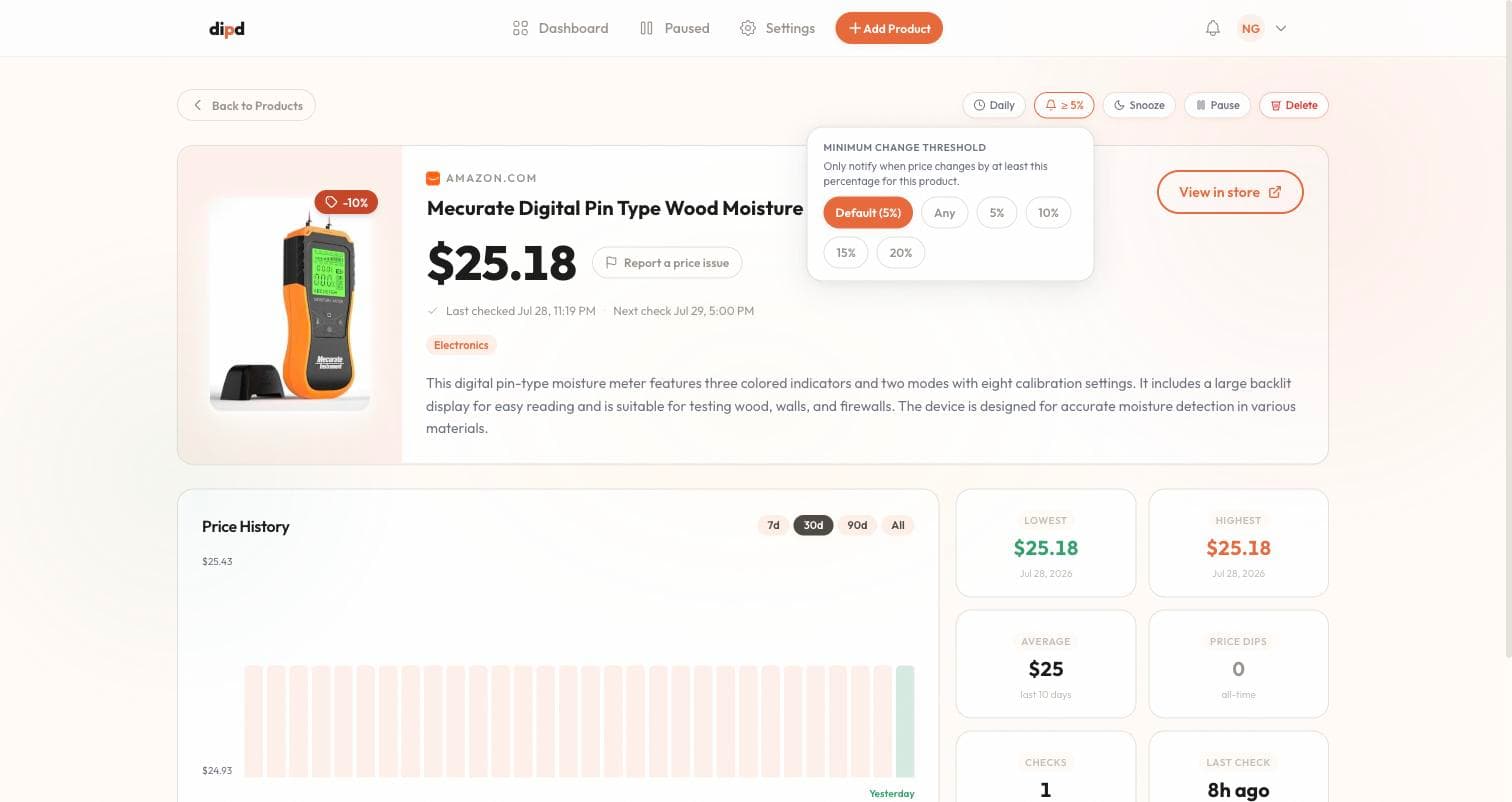
When a drop clears the bar, you get the alert. When it doesn't, dipd stays quiet, but the change is still recorded in the product's price history, so the chart always tells the full story.
What counts as news
Alerts aren't only about drops. In Settings you choose exactly which events reach you:
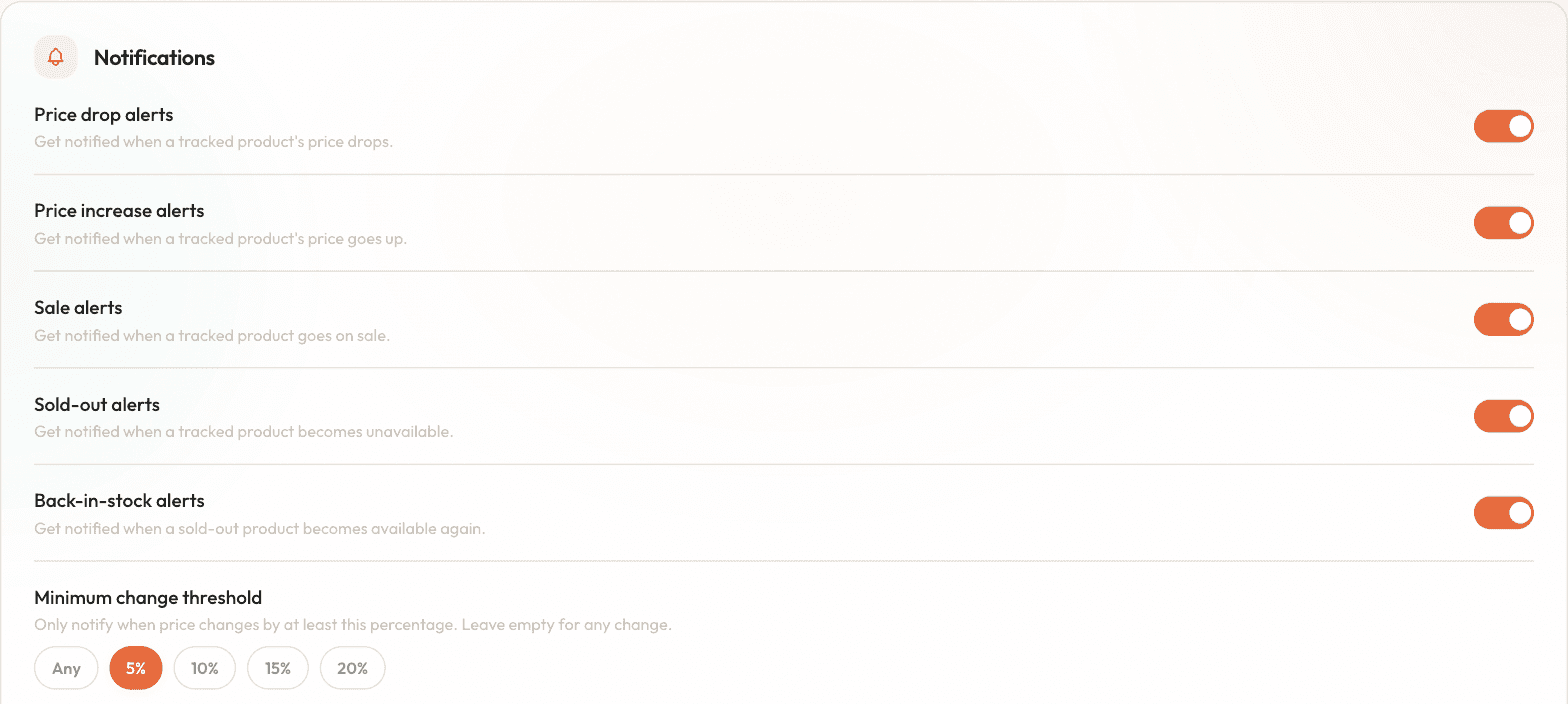
- Price drop alerts are the main event, on by default.
- Price increase alerts are off by default; turn them on if you want the full picture, or if rising prices are your cue to buy before it gets worse.
- Sale alerts: when a product goes on sale.
- Sold-out alerts: when a product becomes unavailable.
- Back-in-stock alerts: when a sold-out product returns. Quietly one of the most useful toggles in the app.
Where alerts land
- Email: every alert arrives in your inbox, with the product, the old and new price, and a link straight to the store.
- In-app: the bell in the web app collects everything, so you can catch up whenever.
- Push: coming with the mobile apps. Once they land, your phone pings the moment a check finds a drop.
It's one account everywhere, so however you add a product, the alert reaches you the same way.
When you need quiet
Two controls on every product page keep tracking without the noise:
- Snooze mutes email alerts for that product while checks continue and history keeps building, for when you've already bought it but still want the data.
- Pause stops checking entirely and frees up the seat, for when you're done with a product but might come back to it.
Set a sensible threshold, pick honest cadences, and dipd fades into the background until a price actually moves, which is the whole point.