product · guides
How to track any product's price with dipd
dipd team4 min read
dipd does one thing: you show it a product, and it tells you when the price drops. No coupon toolbar, no affiliate feed, no "deals" inbox. You pick the products, we watch the prices, and the day something actually dips you get an alert. Here is the whole flow, start to finish.
Step 1: paste a product link
Find something you want to watch, on any store. Copy the product page URL, then paste it anywhere in the dipd app. You don't even need to find the button first: paste on the dashboard and the Track a Product dialog opens with your link already filled in.
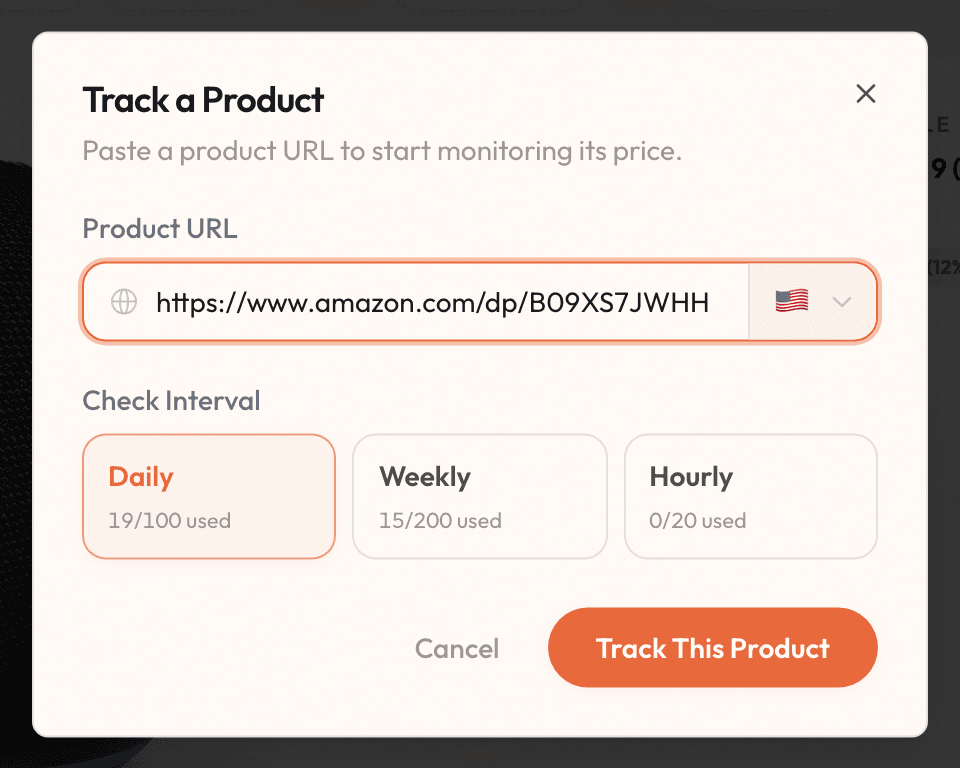
Two choices, both with sensible defaults:
- Region: which country's version of the store we should watch, so the price is in the currency you'd actually pay.
- Check interval: how often we look. Daily is the default and the sweet spot for most products. Weekly suits slow movers like furniture. Hourly (Premium) is for genuine races, like a limited drop or a price war.
Hit "Track This Product" and the first check starts within seconds.
Step 2: let the dashboard do the remembering
Every tracked product becomes a card: current price, the store it lives on, and how much it has moved since you started watching.

Products tag themselves as they come in, so once you have a handful you can filter by store, by tag, or just by "show me everything that dipped."
Step 3: get the alert, buy at the right time
When a price moves enough to matter, we email you. Old price, new price, one button to the store. That's the entire point of the product: you stop checking, and the one day it drops finds you instead.
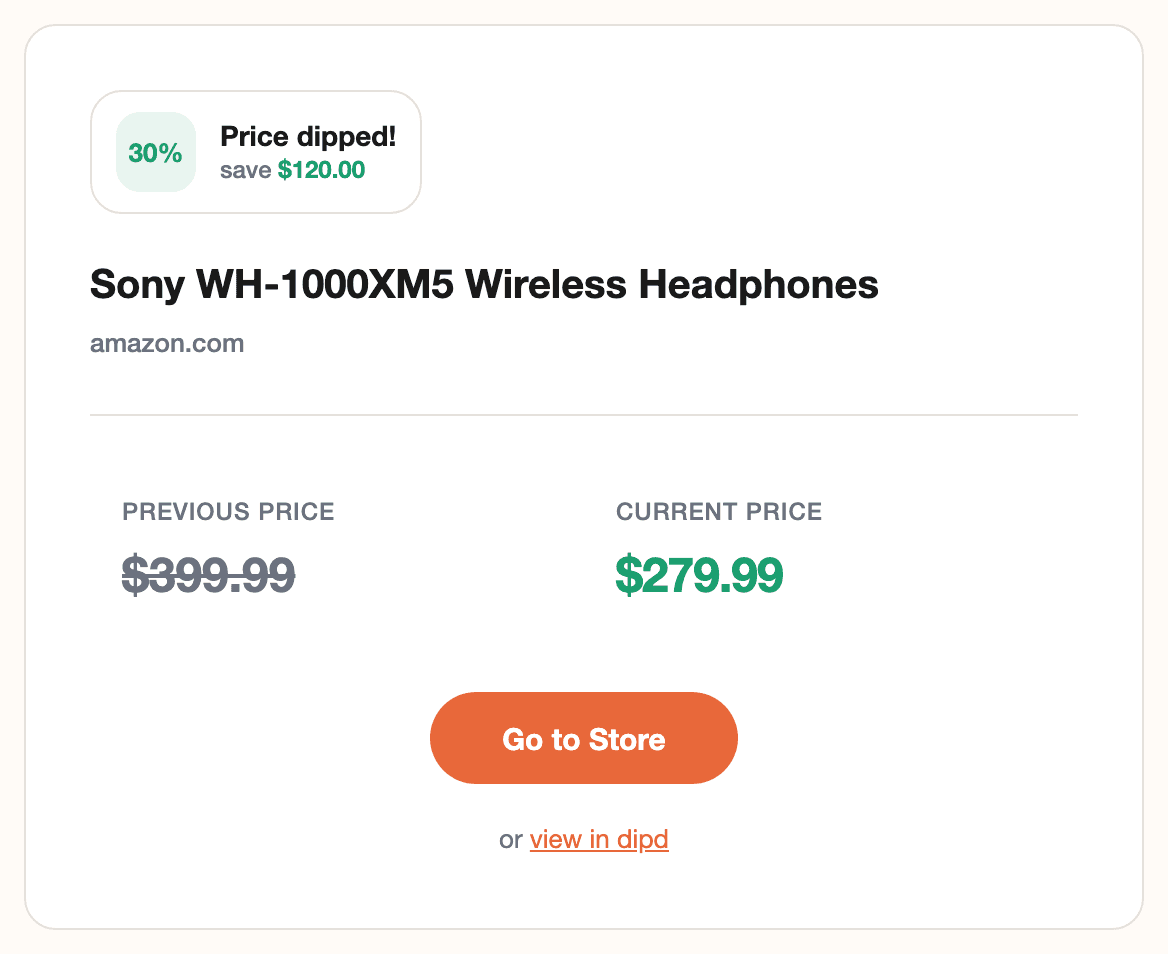
How big "enough to matter" is, is up to you: thresholds are configurable account-wide and per product. The full tour of seats, schedules, and thresholds lives in How dipd alerts work.
The same flow, on your iPhone
On the phone, the iOS app makes the first step even shorter. You don't have to copy anything: see a product in Safari or in a store's own app, tap Share, and pick dipd from the share sheet.
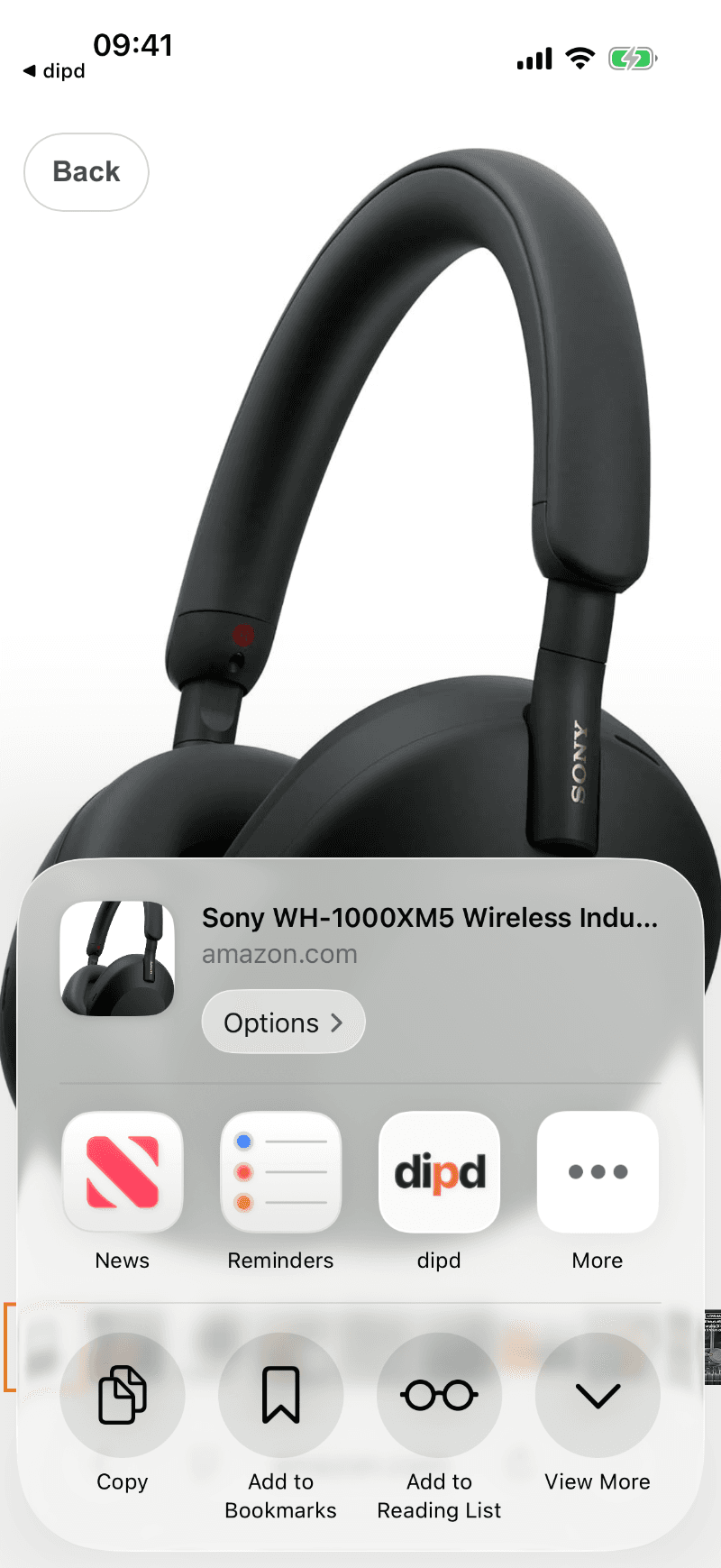
dipd opens with the link already in the tracking sheet, so you're tracking in two taps. Copying a link and pasting it works too, and lands in the same place:
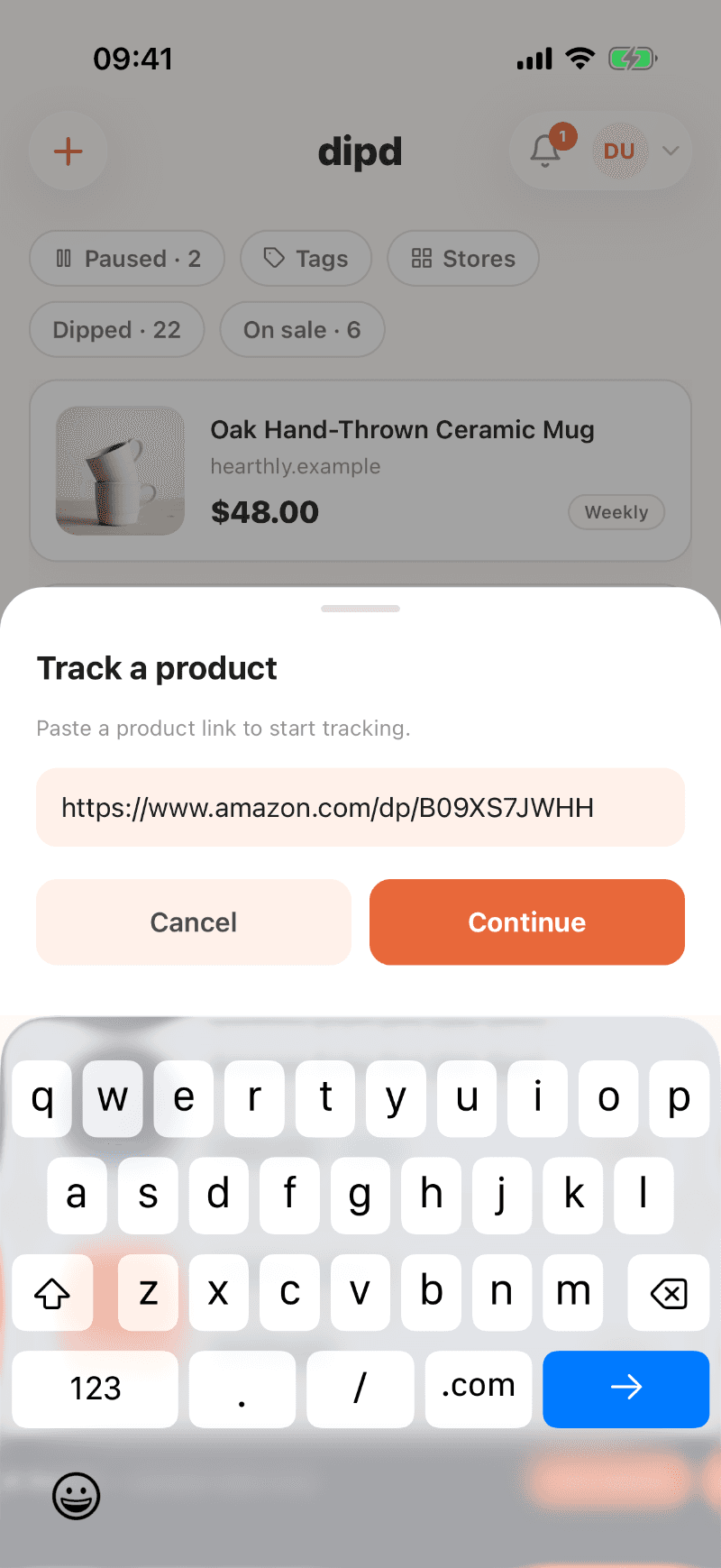
Your dashboard travels with you, with the same filters for paused, dipped, and on-sale products:
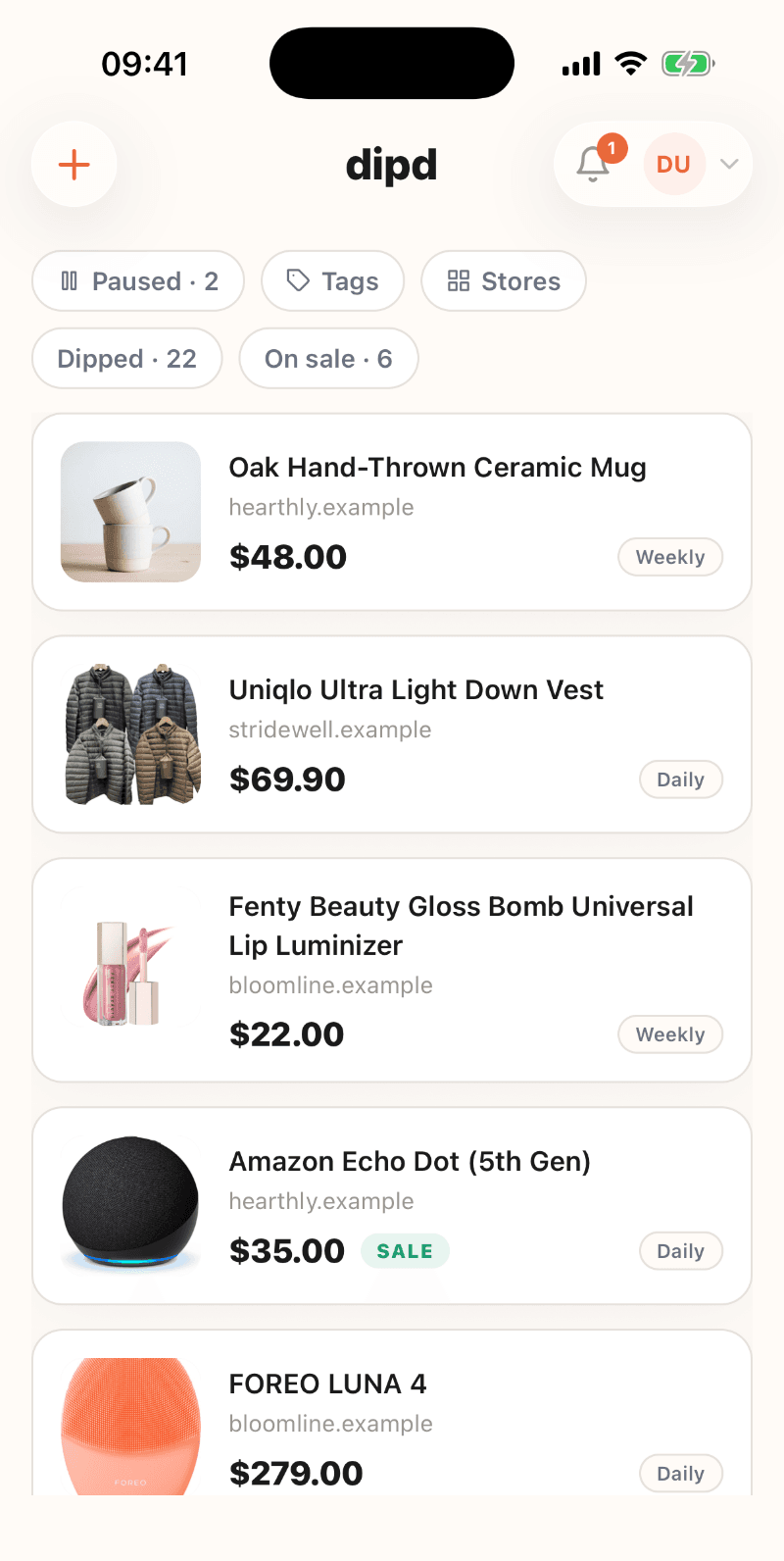
And every product gets a price history, so you can see whether today's "deal" is actually the lowest it has been:
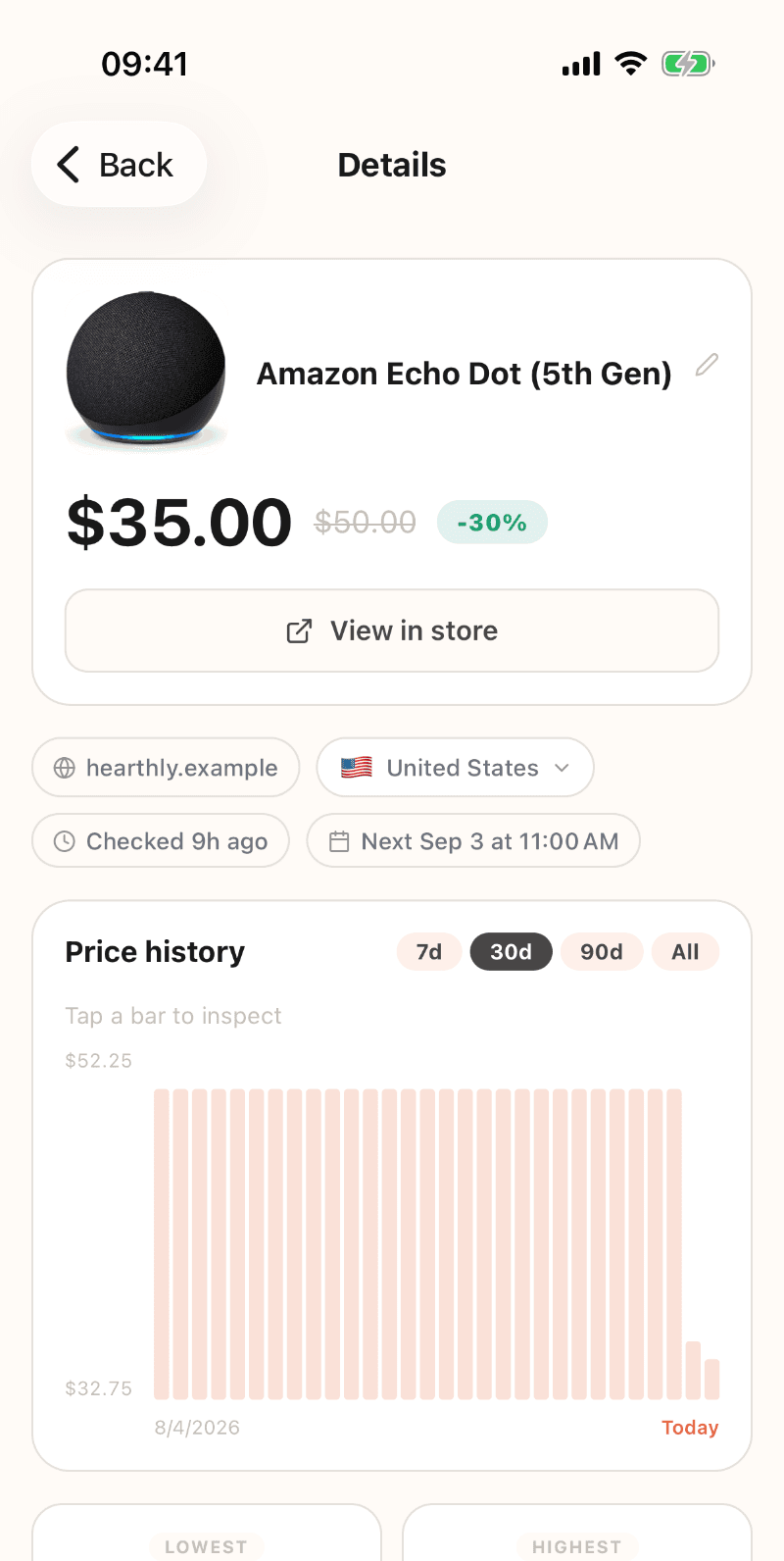
Alerts arrive as push notifications on the phone, and the Android app is on its way.
That's the whole manual
Paste a link. Pick a schedule. Wait for the dip. The free plan gives you enough seats to put it through its paces on the products you're actually eyeing, and if you're just curious what a full dashboard feels like, the live demo is one click and needs no account.